Copilot CX
A smart assistant designed customer service agents in the airline industry

Context
This project is a concept design that explores AI-assisted support for airline customer service agents. The challenge focused on simplifying agent workflows, minimizing tool switching, and faster resolution of customer queries.
Skills
UX Research, Design Patterns, User interface design
Tool
Figma and Figjam
Timeline
1 week
Current workflow Problems
Agents often deal with the same kinds of queries and manually answering these again and again slows them down.
They need to use multiple platforms like CRM, chat, internal tools, and even email or Zoom to solve one query. Jumping between these causes confusion and delays.
When agents need help from teammates, they have to switch to separate tools and apps. This makes teamwork slow and scattered.

Solution

Agents can chat with teammates or leads directly in the dashboard to solve queries faster
Smart Auto-Draft by AI which suggests ready-made replies for customer questions to quickly approve or tweak them.
Everything the agent needs: Customer chat, AI assistant, Knowledge base & articles, and team lead support will be on one screen.
Understanding the challenge
The process began with interviews to identify pain points in the current airline customer support workflow.

Agents repeatedly handle similar issues (refunds, delays, baggage), leading to wasted time and effort.
Switching between multiple platforms slows down response time and disrupts workflow.
Escalating issues or coordinating with teams is time-consuming due to lack of integrated communication tools.
Structuring the system
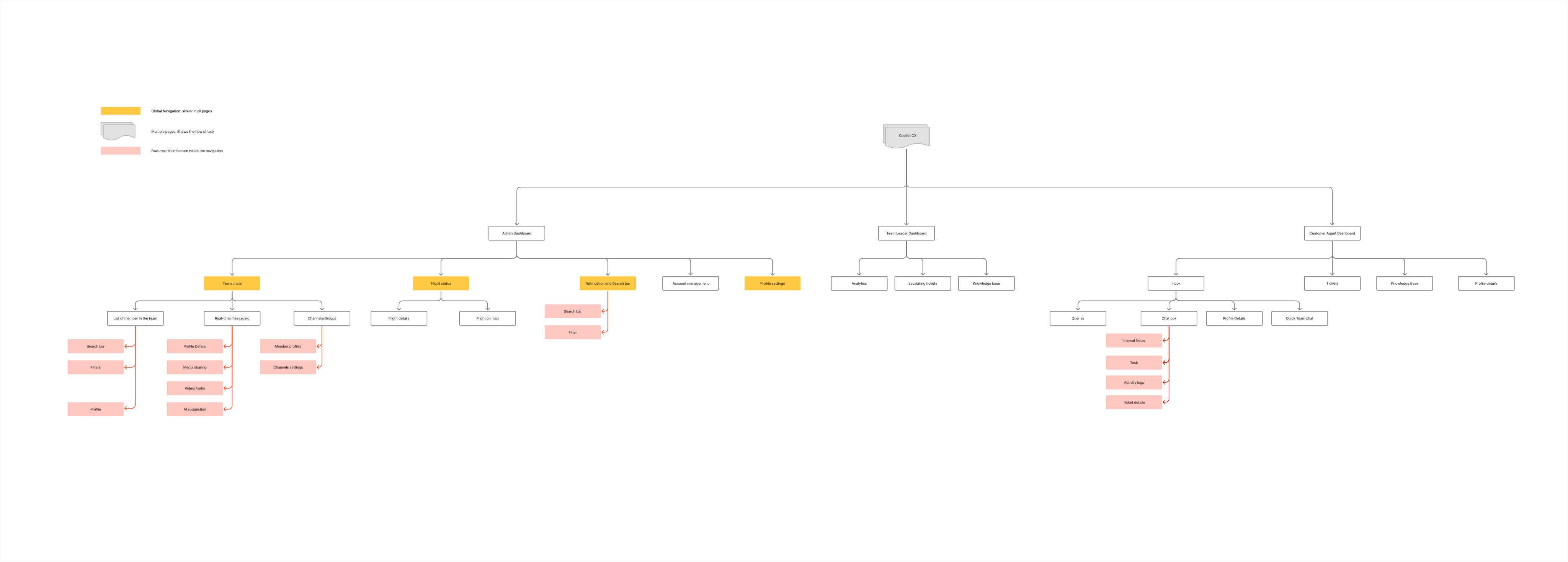
An information architecture was created to outline how features connect and guide user navigation
Defining the journey

A simple user flow was mapped to visualize how agents move through tasks while using the platform
Bringing it to life
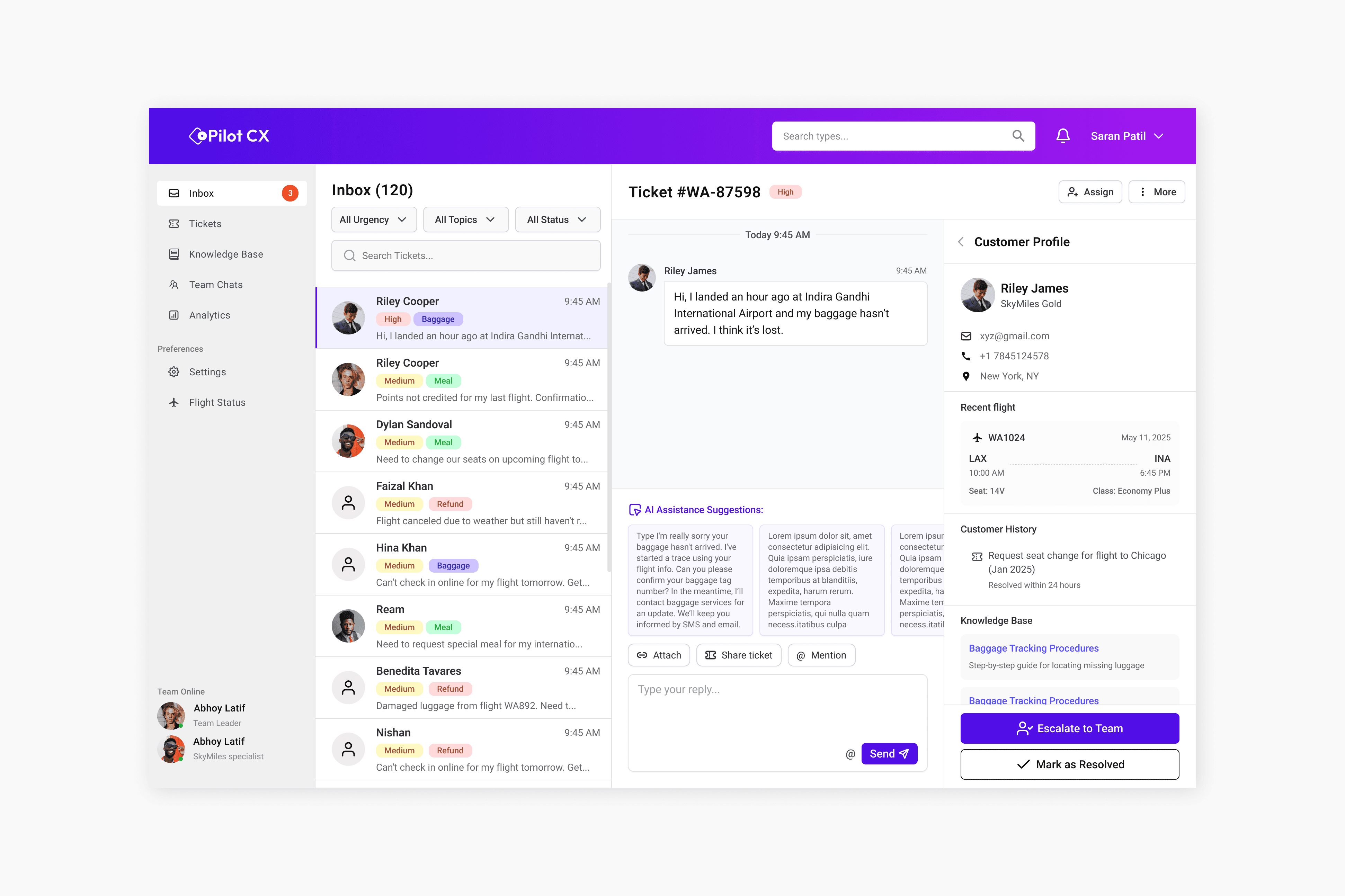
The inbox interface is designed to manage all customer queries in one place, with AI suggestions that reduce tool switching and streamline ticket handling in a clean layout.

The ticket screen displays all incoming customer tickets in a list format, allowing agents to quickly view, switch, and respond to specific ticket details.

The ticket screen displays all incoming customer tickets in a list format, allowing agents to quickly view, switch, and respond to specific ticket details.

The flight status screen shows real-time updates and a list of flights to help agents quickly check flight-related information during ticket resolution.